 Juan HerreraEngineer · Entrepreneur · Speaker · Writer
 MySkills
Your skills deserve a better home.
Browse, organize and back up your AI skills. A visual dashboard for the workflows you already use, right on your computer.
Runs locally on macOS and Windows. No account or API key required.
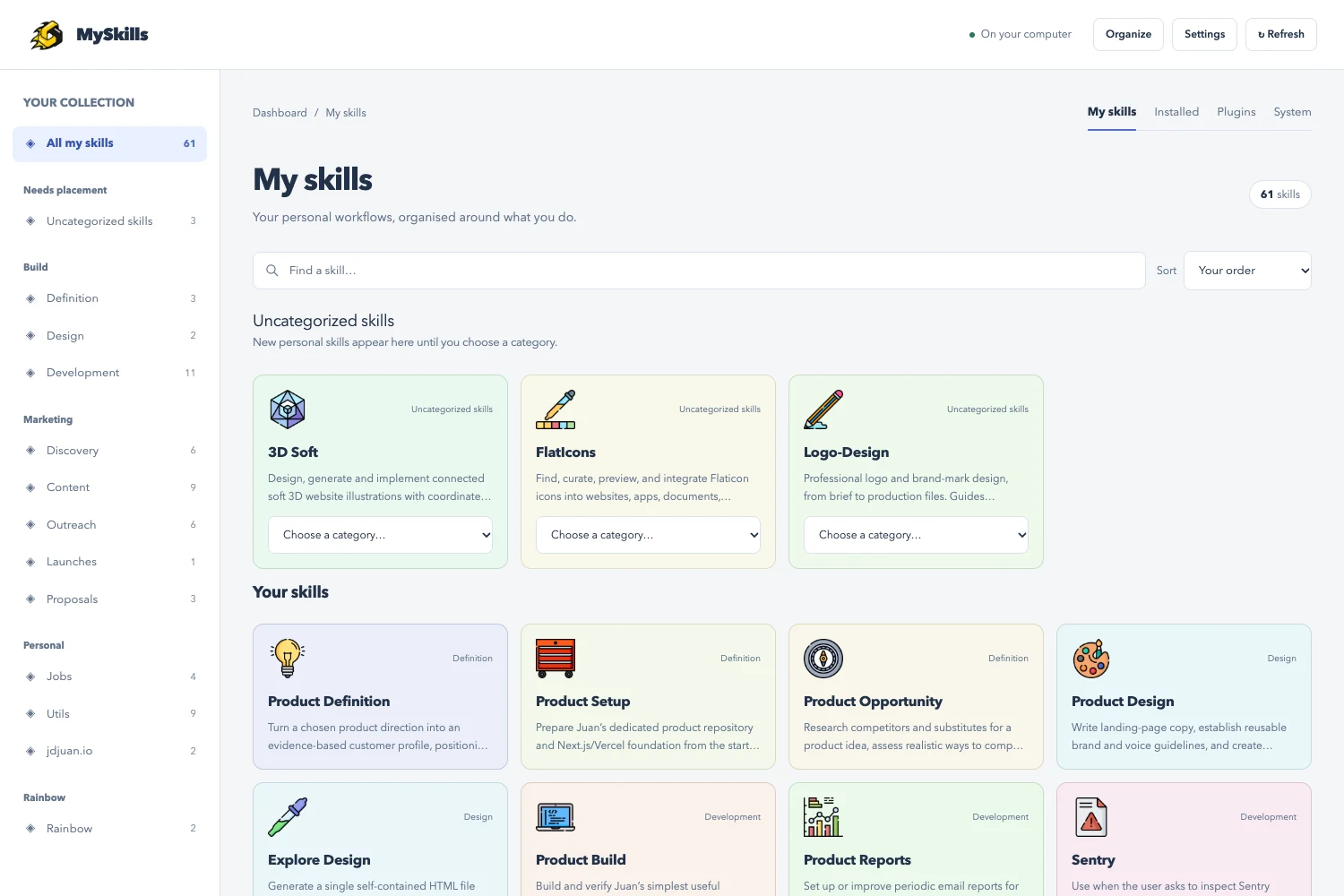
Less digging through folders. More doing.
See what you have, find what you need, and keep your workflows organized in one place.
Give every skill a place.
Create your own categories, arrange skills in the order you use them, and read their instructions without digging through folders.
Your collection. Your computer.
MySkills reads the skills you already have. Your personal skills, installed skills, plugins and system skills stay easy to tell apart.
Keep a way back.
Choose an optional private GitHub backup for your skills and organization. Unwanted personal skills go to Trash or Recycle Bin.
Your assistant can take it from here.
Use Claude, Codex, or your preferred coding assistant with terminal access. Give it the prompt below to install MySkills on your computer.
Read the source on GitHub- Copy the prompt below.
- Paste it into your coding assistant.
- Follow the setup, then open your collection.
Install https://github.com/jdjuan/myskills
The prompt stays visible if you prefer to copy it yourself.
Prefer to install it yourself? See the latest release.Good to know.
Which skill folders does it read?
MySkills currently discovers skills in ~/.agents/skills, ~/.codex/skills and the Codex plugin cache. Your coding assistant can help you check where your skills are stored before installation.
Is MySkills a collection of skills?
No. It is a dashboard for the skills already installed on your computer. It does not come with a shared skill library.
Do I need an account or an API key?
The dashboard needs neither. It runs locally in your browser. Optional GitHub backup uses your own GitHub account and only uploads after you enable it.
How do updates work?
Installed copies can check for new MySkills releases automatically. Updates to individual skills are checked only when you ask, with changes available to review before applying.
Can I use it on another computer?
MySkills supports native macOS and Windows. With optional private GitHub backup, you can preview and restore your skills on another computer. Backup is not automatic synchronization.
Does it record every skill use?
Usage recording is optional and best effort. Recorded counts can help you explore your collection, but they are not a complete activity history.